1. Install from Microsoft Store
You need a Windows 10 or 11 computer with x64 architecture. Open the official listing, check the requirements shown by the store and install EpicPencil. Then launch it from the Start menu.
Get EpicPencil from Microsoft Store
This link opens the store rather than downloading an EXE file directly. If installation is unavailable for your device, first check your Windows version and architecture.
2. Make your first annotation
- Open the document, browser or presentation you want to explain.
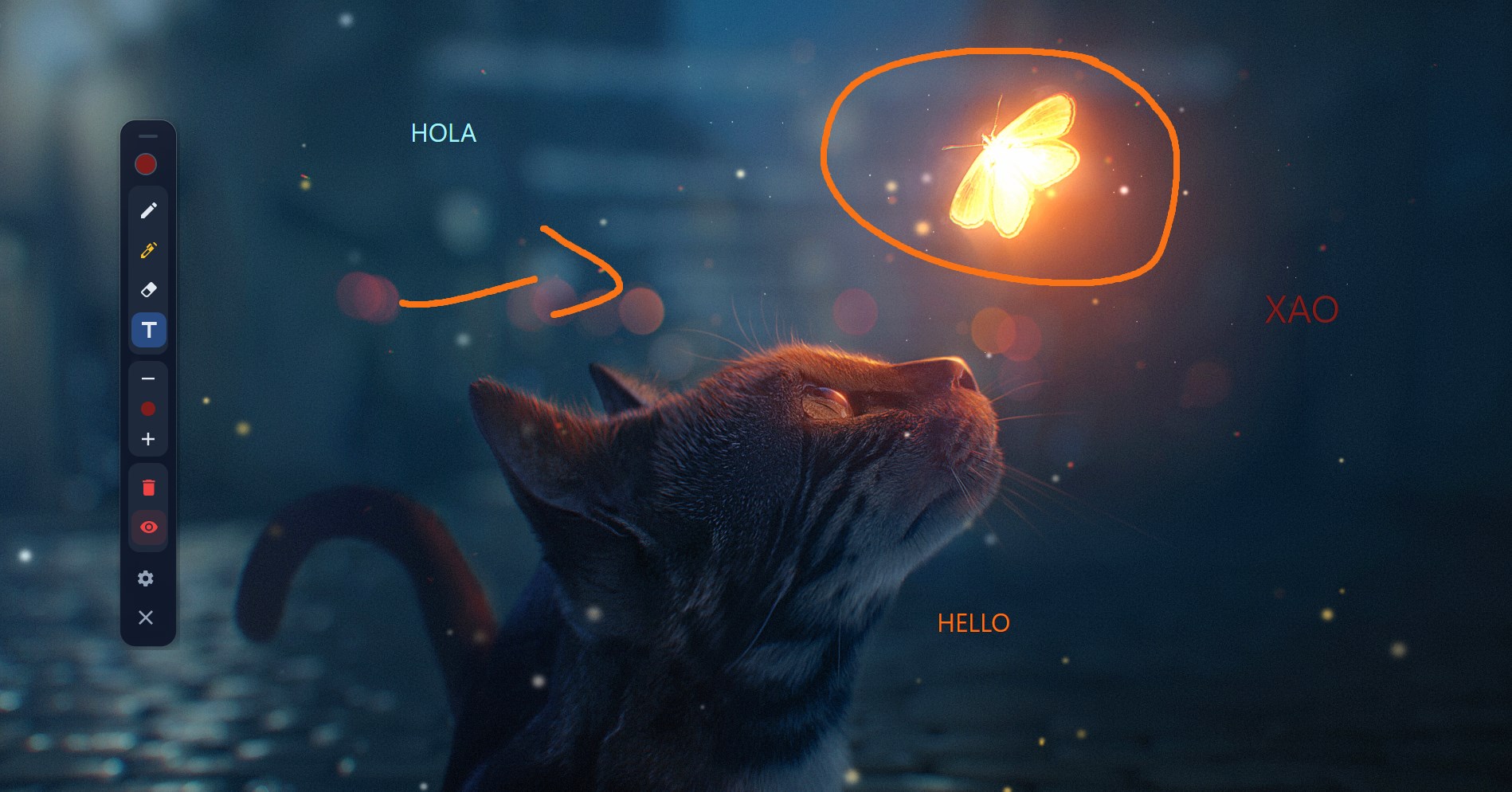
- Select the pencil, a color and a stroke width on the EpicPencil toolbar.
- Hold the mouse button and drag to draw. Release it to finish the stroke.
- Choose the highlighter to emphasize a sentence or the eraser to correct a mark.
Annotations appear in an overlay: they do not edit the text or images in the underlying document. To practice without installing, use the interactive demo, which works only inside its panel.
3. Interact with the app underneath
Press Ctrl + Shift + D to switch between drawing and desktop interaction. You can change a slide or click a button, then switch back to drawing.
Press Ctrl + Shift + C to clear all annotations. Use the eraser if you only want to correct part of a drawing. You can customize the shortcuts in settings.
Before a lesson or video call
- Test the display and monitors you intend to use.
- Make a mark and check the recording preview, or ask another participant whether the overlay is visible. Sharing a window can behave differently from sharing the whole screen.
- Choose colors that contrast with the document and strokes that are readable at presentation size.
- Clear old marks when changing topics to keep the explanation clear.
If drawing or shortcuts do not respond
If the mouse keeps clicking buttons instead of drawing, enable drawing mode again from the toolbar. If a shortcut conflicts with another application, change the combination in EpicPencil settings.
If marks are visible on your desktop but missing from a recording, check which screen or window your recorder captures. To report an issue, include the EpicPencil version, Windows version and reproduction steps in the project repository.